
Tiers
Three tiers. They stack.
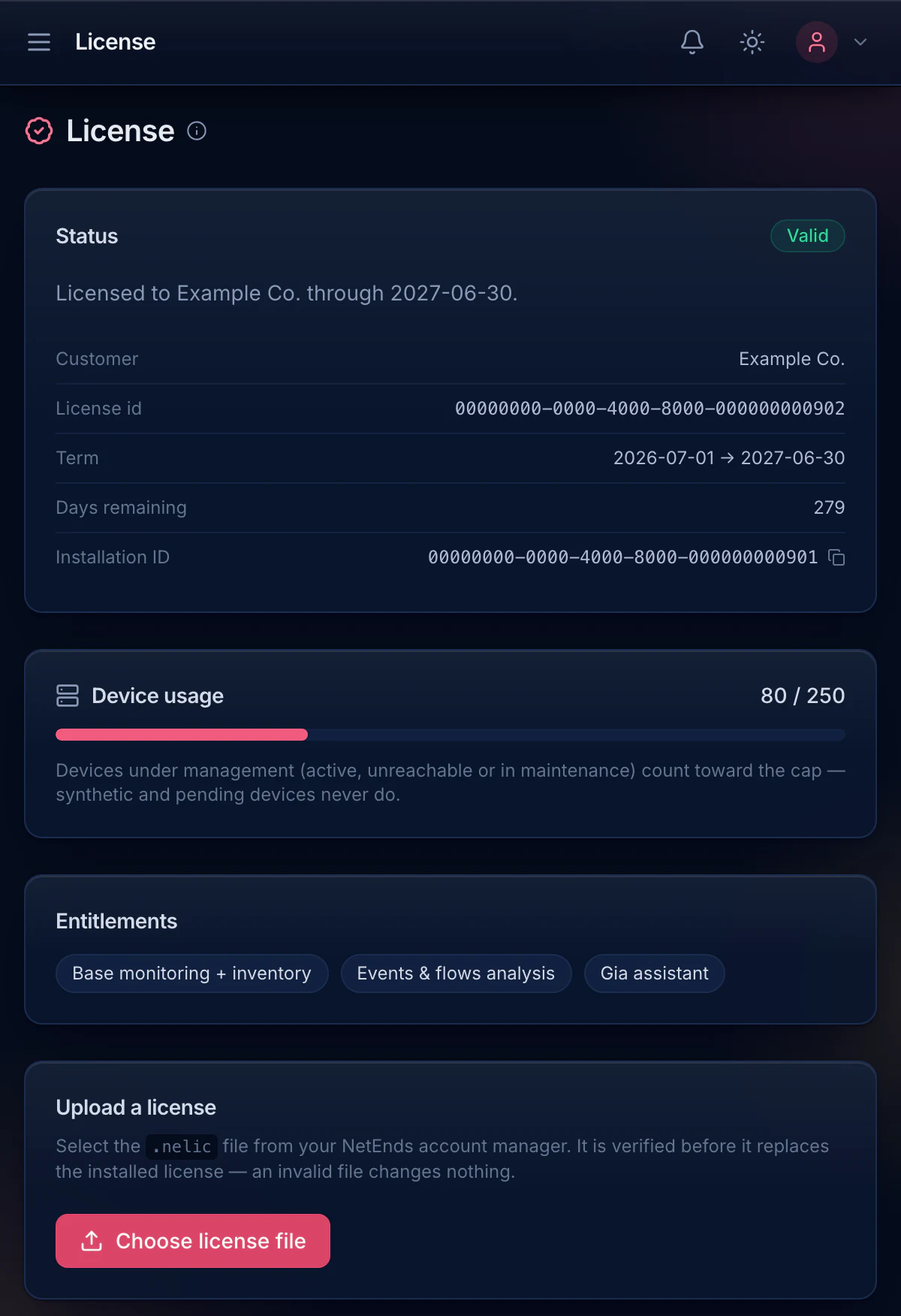
Each tier is the one below it plus a named capability. Your license says exactly what you have, and so does the product.
The three tiers
Tier 1
Base
See and watch every node you run.
- Inventory and IPAM
- Monitoring and alerting
- Topology and config backup
Tier 2
Events & flows
Add log and flow analysis.
- Search every vendor’s logs
- Top talkers and conversations
- Log-pattern alert rules
Tier 3
Gia
Add your network assistant, running on your hardware.
- Ask in plain language
- In the UI, or by Slack DM when your host can reach Slack
- Emulation lab included
No prices here. Licenses are quoted per installation against your node count and term, and you get a number from a person: sales@netends.com.
The details
The three questions everyone asks.
- What counts
- Nodes under management count toward your license. Discovery candidates you haven’t confirmed don’t.
- Going over
- The next add is declined with a message. Nothing is deleted, throttled or switched off.
- Getting a license
- Send us the Installation ID from the License page. You get a signed license file back, upload it, and you’re done. No license server, and no internet needed.
Try every tier for 14 days.
Decide what you need after you’ve run it on your own network, not from a table.