Network operations and intelligence platform

Every node.
Every vendor.

One screen for inventory, monitoring, topology and configuration — on a Linux host you own.

14 days · Every tier · On your own host

The NetEnds Home page: a greeting, the network's health grade A (99 out of 100), four active alerts with none critical, no open incidents, the recent alerts, and seven days of network activity.
The Home page, rendered from the product’s own code · Sample data

Multi-vendor, for real

Every vendor you run.
The same screens.

Dedicated collectors for the platforms networks are built on. Anything else that speaks SNMP appears in the same inventory.

  • Arista
  • Cisco
  • Juniper
  • Fortinet
  • Palo Alto
  • Aruba
  • F5
  • Check Point
  • Citrix
  • Nokia
  • Huawei
  • Extreme
  • SONiC
  • Ubiquiti
  • SonicWall
  • HPE
  • + Anything over SNMP

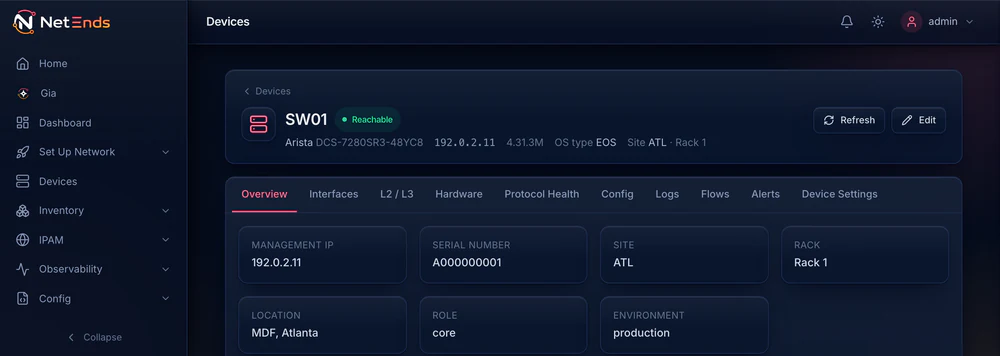
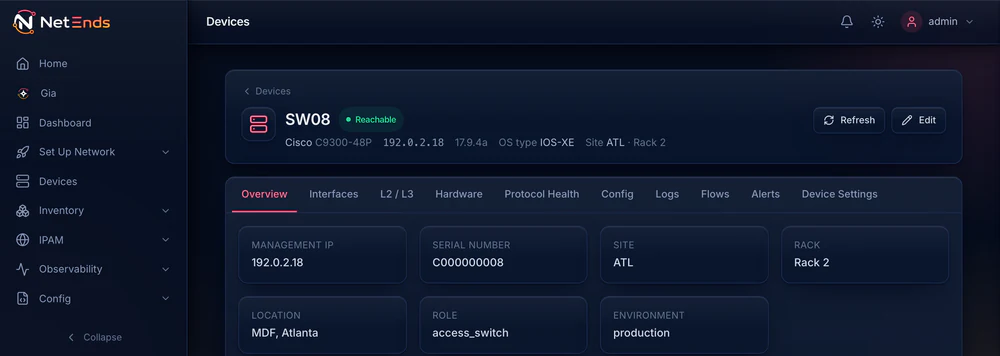
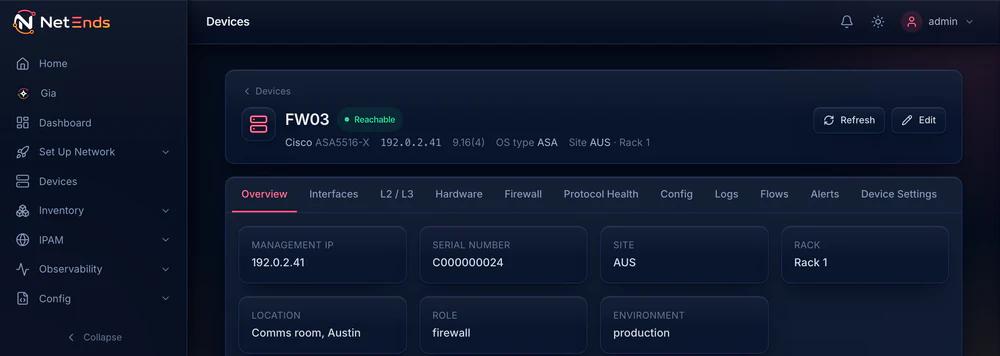
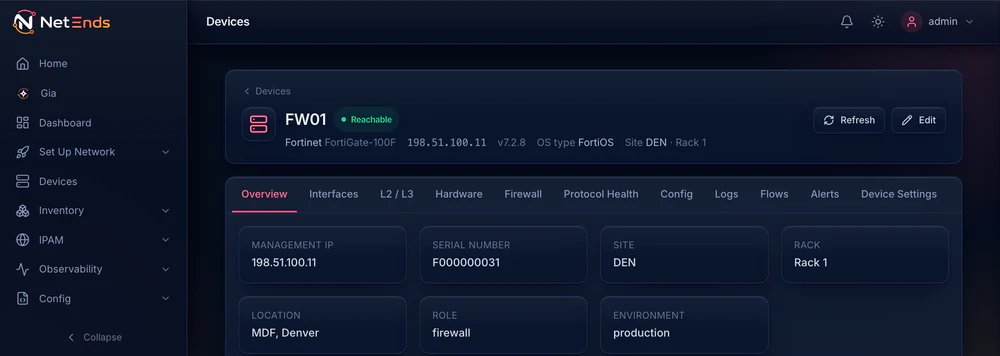
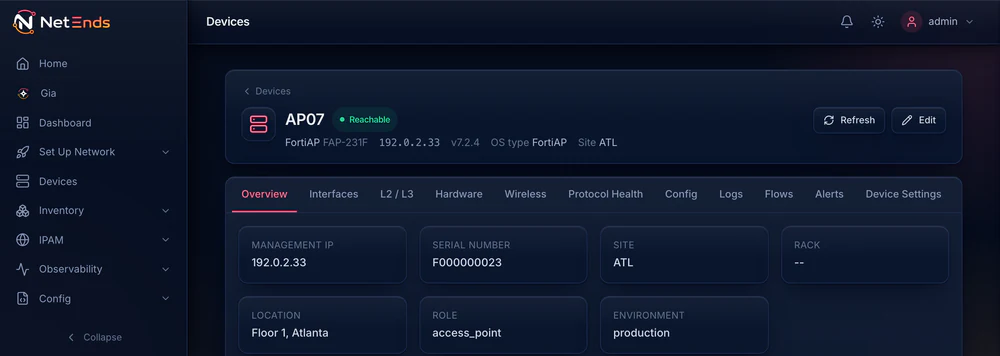
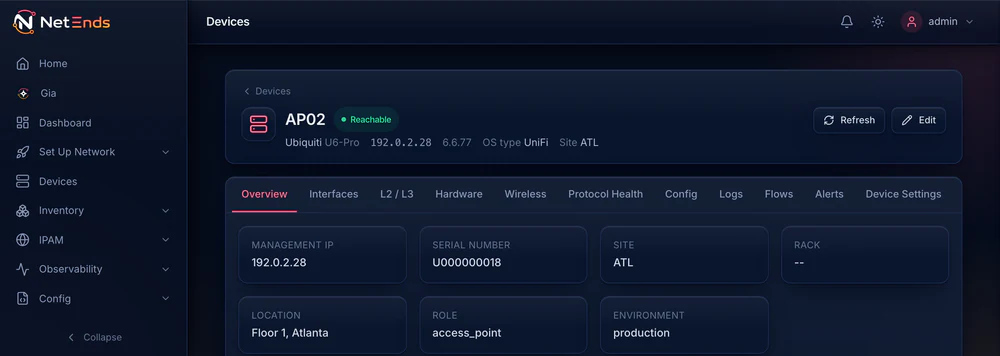
One device page, whoever made the node. Product screenshots, rendered from the product’s own code · Sample data. Depth varies by platform; the supported-devices page shows what runs on each.

See every supported platform ›

One platform

Five jobs.
One place to do them.

Inventory & IPAM

Every node, found and detailed.

NetEnds discovers your nodes and reads what they hold. Addresses and subnets live beside the inventory — IPAM stops being a spreadsheet.

  • Vendor, model and OS identified
  • Interfaces, VLANs, routes, hardware
  • A subnet tree built from what nodes report
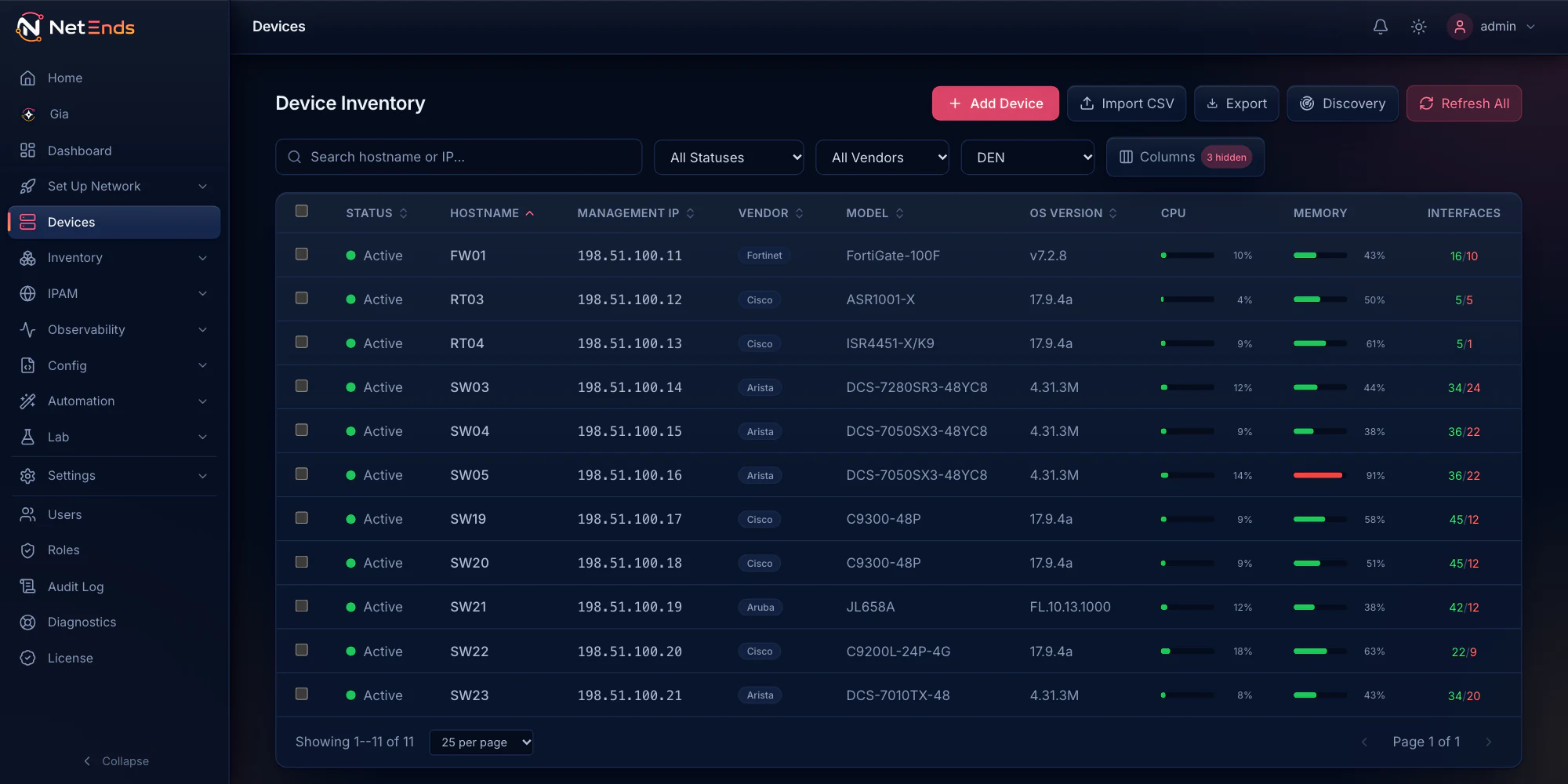
The Devices page filtered to the Denver site: eleven nodes, a FortiGate firewall, two Cisco routers and Arista, Cisco and Aruba switches, all active, with management address, vendor, model, OS version and live CPU, memory and interface counts.

Monitoring

Hear about it before your users do.

Health, capacity and routing state across every vendor, with baselines learned from your own traffic — so “abnormal” has a number behind it.

  • CPU, memory, interfaces, power, optics
  • Alerts from both ends of a failed link, grouped into one incident
  • Streaming telemetry on supported Arista, Cisco and Aruba switches
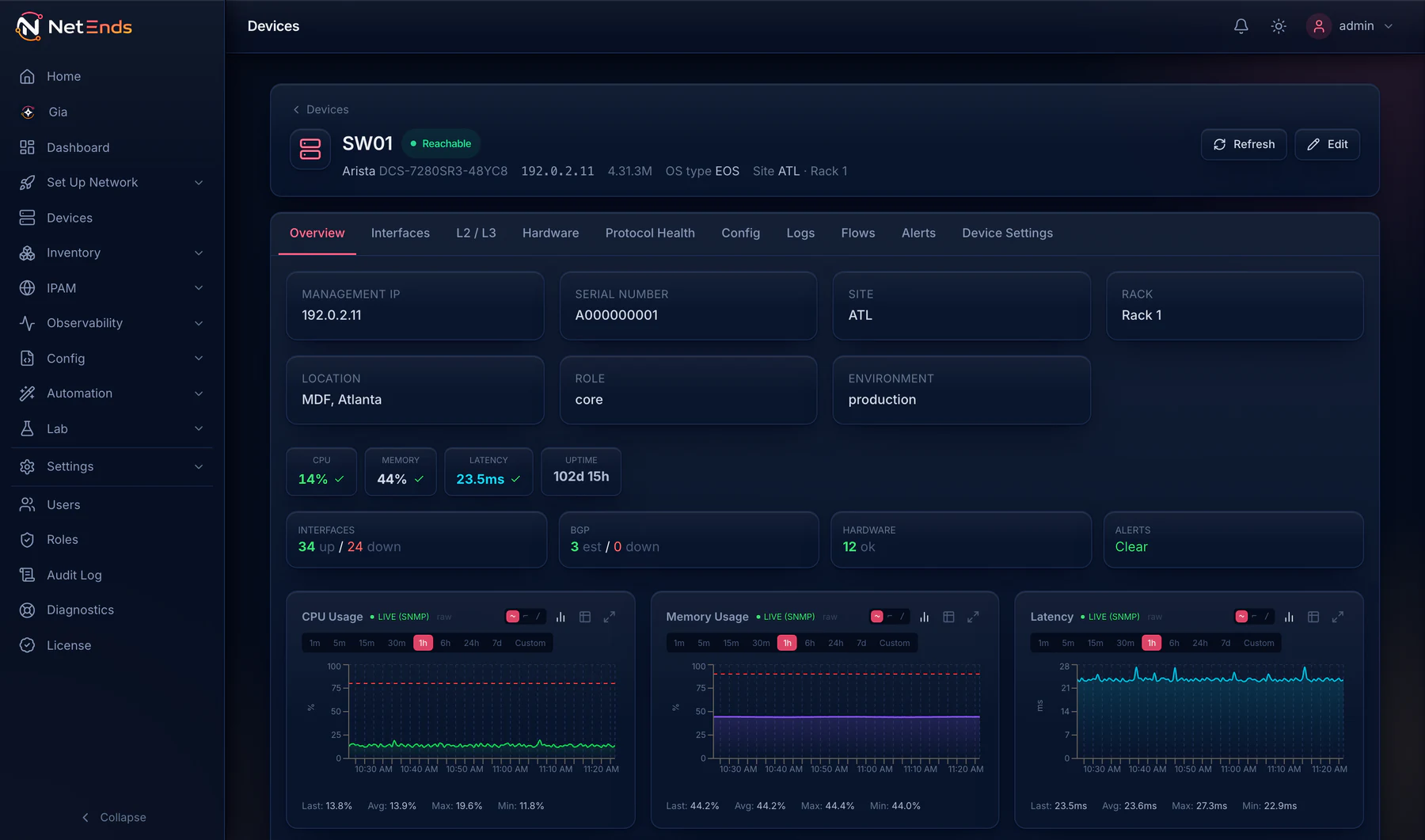
The device page for SW01, an Arista core switch at the Atlanta site, reachable: CPU 14%, memory 44%, latency 23.5 ms and 102 days up; interfaces, BGP sessions and hardware at a glance, no alerts, and one-hour CPU, memory and latency charts.

Topology

Topology built from the network itself.

Physical, VLAN and routed maps are built from what your network reports — not from a diagram someone forgot to update.

  • Site, physical, VLAN and routed views
  • Multicast and MPLS included
  • Detail follows collection depth
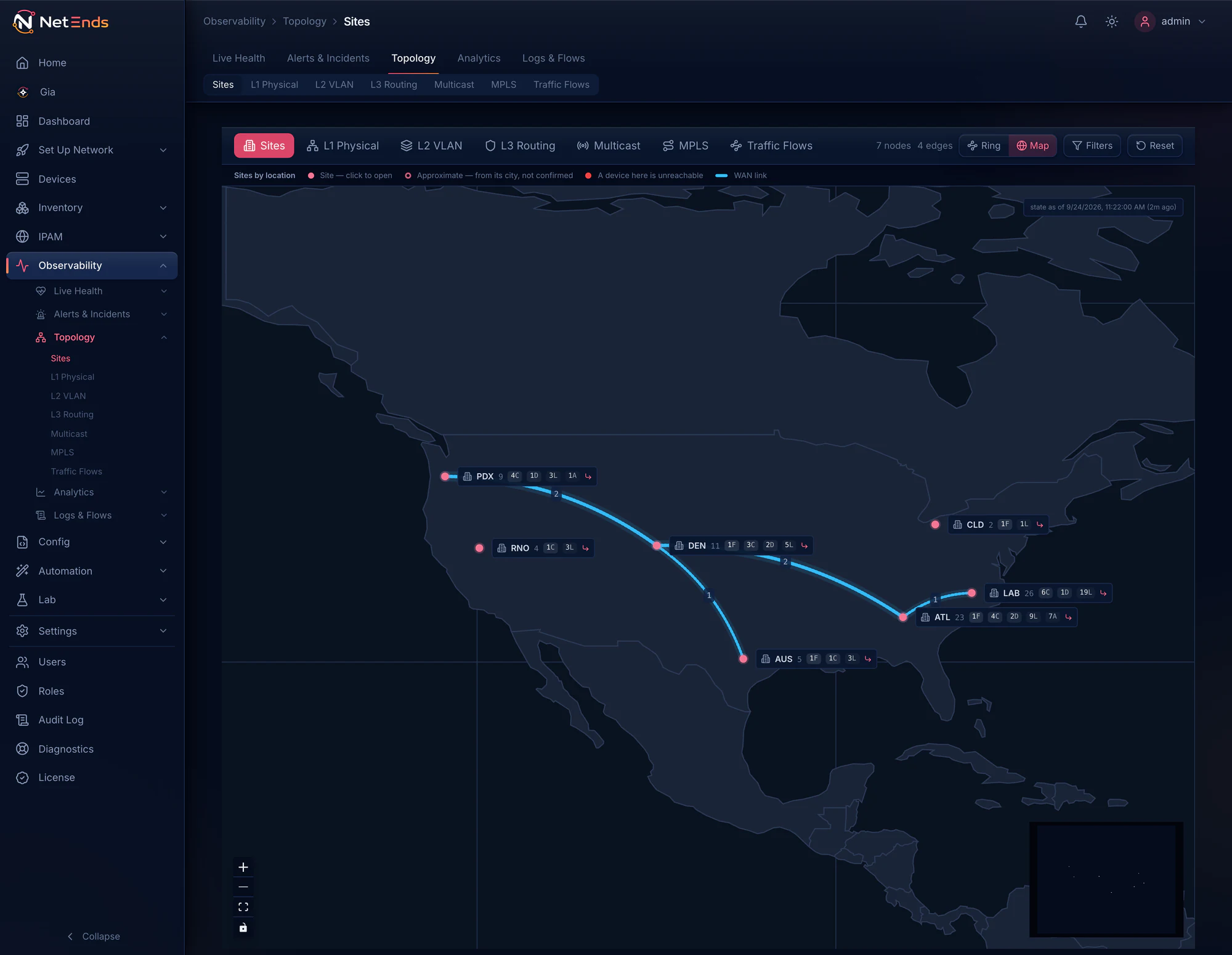
The Topology Sites map: seven sample sites across the United States, each with its device count and tier chips, joined by four WAN links, all up.

The Sites map, rendered from the product’s own code · Sample data

Configuration

Every change, before and after.

Configs are captured on a schedule and on change, versioned, and diffable line by line. A push you prepare is backed up first and waits for an approver.

  • 50 versions kept by default, up to 500, any two compared
  • Who changed it, read from the node’s own log
  • OS upgrades proposed — a person applies them
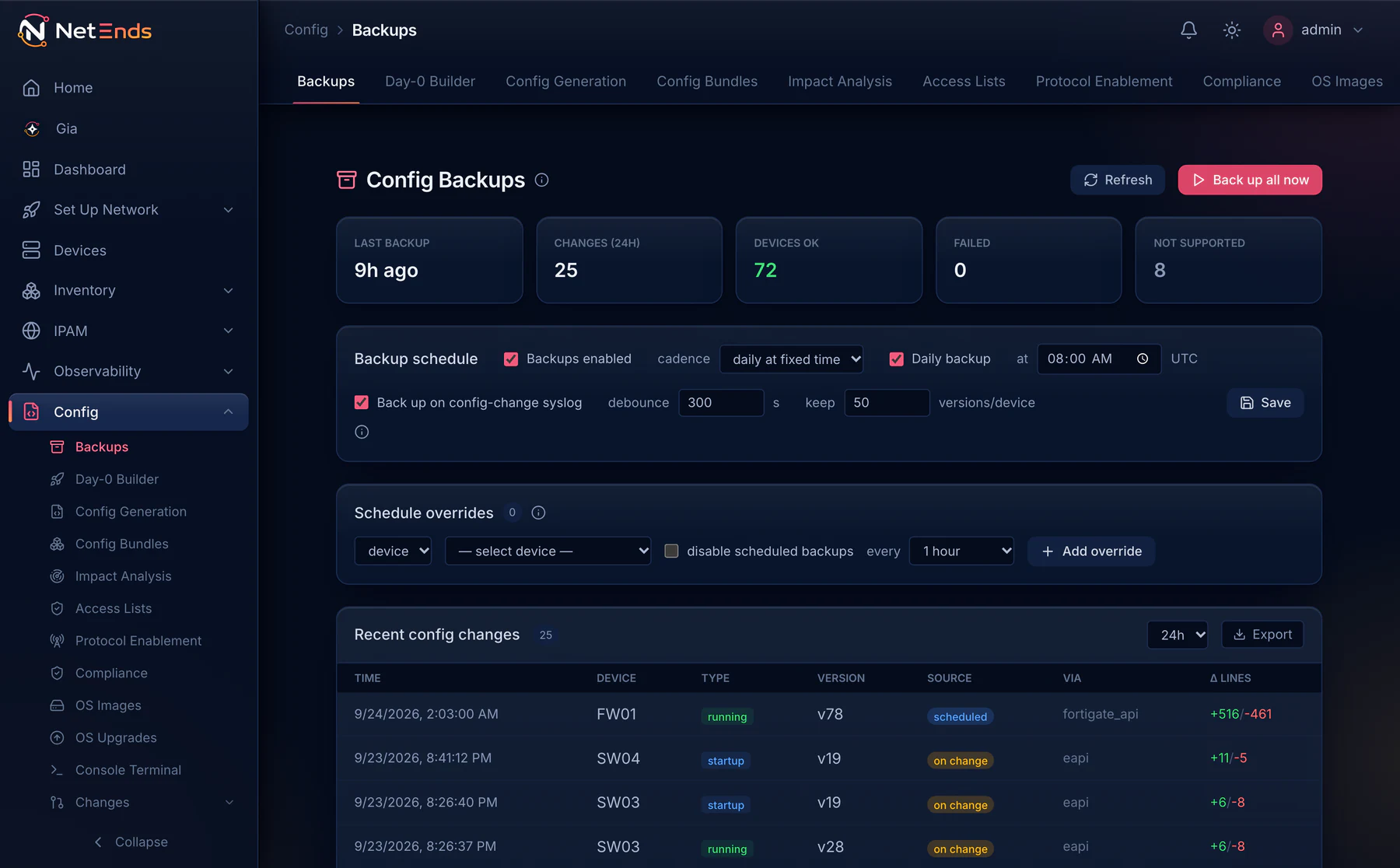
The Config Backups page: last backup 9 hours ago, 25 changes in 24 hours, 72 devices backed up and 8 not supported, a daily schedule plus backups on change, and the newest changes led by FW01's running config v78 (+516 −461), then SW04 and SW03 at v19.

Logs & flows

Logs and flows from every vendor. One place.

Syslog, NetFlow, IPFIX, sFlow and SNMP traps land in NetEnds. Logs and flows become searchable across every vendor at once.

  • Top talkers and conversations
  • Search every vendor’s logs together
  • Traps received from day one
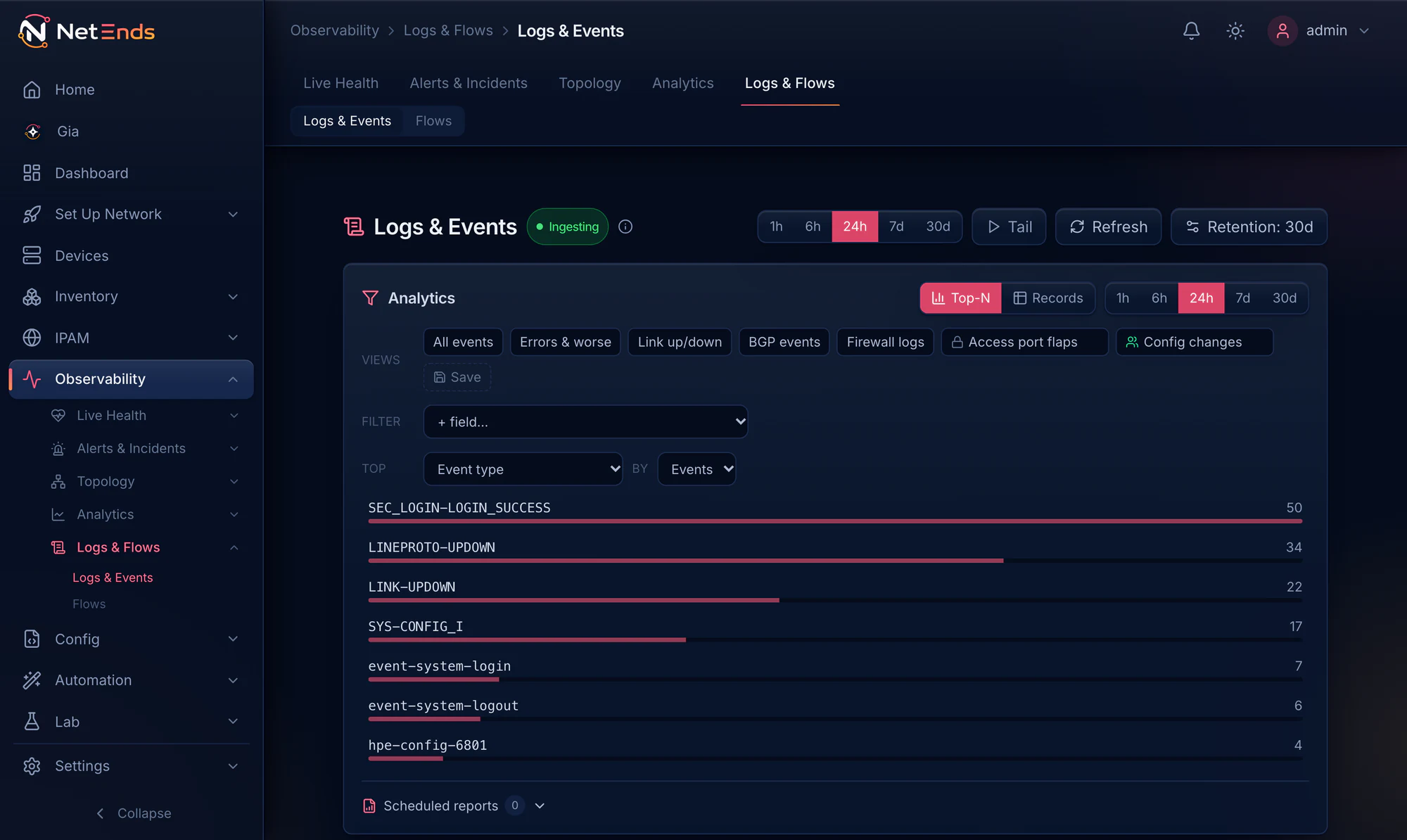
The Logs & Events page, ingesting syslog with 30-day retention: the last 24 hours of events from Cisco, Arista, FortiGate and Aruba nodes, ranked by event type.
The Devices page filtered to the Denver site: eleven nodes, a FortiGate firewall, two Cisco routers and Arista, Cisco and Aruba switches, all active, with management address, vendor, model, OS version and live CPU, memory and interface counts.
The device page for SW01, an Arista core switch at the Atlanta site, reachable: CPU 14%, memory 44%, latency 23.5 ms and 102 days up; interfaces, BGP sessions and hardware at a glance, no alerts, and one-hour CPU, memory and latency charts.
The Topology Sites map: seven sample sites across the United States, each with its device count and tier chips, joined by four WAN links, all up.
The Config Backups page: last backup 9 hours ago, 25 changes in 24 hours, 72 devices backed up and 8 not supported, a daily schedule plus backups on change, and the newest changes led by FW01's running config v78 (+516 −461), then SW04 and SW03 at v19.
The Logs & Events page, ingesting syslog with 30-day retention: the last 24 hours of events from Cisco, Arista, FortiGate and Aruba nodes, ranked by event type.
Product screenshots, rendered from the product’s own code · Sample data

Built to be run by you

Your hardware.
Your data. Your call.

Deploy it on one Linux host.

No agents on your nodes, no vendor cloud, no account to create with us. Install it on a host you own and it’s up.

1 host

Reference host: 16 vCPU, 64 GiB RAM and 1 TB NVMe for about 500 devices. Gia adds about 26 GiB of RAM.

Air-gap ready.

An offline bundle that installs, runs and updates with no internet access. Gia’s model installs offline too.

Autopilot

Turn on what your nodes can send.

Autopilot finds the telemetry each node supports that isn’t reaching NetEnds yet — SNMP traps, syslog, flow export and management APIs — and prepares the config to switch it on. It stays off until you enable it, and out of the box it drafts every change for your review. If you choose, it applies changes itself: on nodes whose environment is lab, staging or development, or across the fleet. It never touches a node on your Protection list.

Licensing works offline.

Send us your Installation ID and upload the signed license file you get back. Renewals work the same way. No license server. No phone-home activation.

Signed releases.

Every release is checksummed and signed. The installer checks the signature, and refuses what doesn’t verify.

A short list of open ports.

The database, cache and event store bind to loopback. What faces your network:

UI · 80/443Syslog · 514Traps · 162Flows · 2055, 4739, 6343

Protected devices are refused.

Put a node, a site, a group or a whole environment on the Protection list, and config pushes, Autopilot, rollbacks, restores, console sessions and OS upgrades all refuse it, no matter who, or what, asks.

Your sign-in. Your roles.

SAML, OIDC, LDAP, RADIUS and MFA. Roles can be scoped to sites or device groups, and every read of network data needs a permission.

Gia, your network assistant

Ask your network.

Gia answers in plain language from live data and shows each lookup it made. Its model runs on your server, not somebody else’s.

Which devices had config changes in the last 24 hours?

Looked up · Config versions, last 24 h Looked up · Who committed, from syslog

9 devices changed in the last 24 hours.

Most were manual CLI edits by admin. One was made by root on SW05.

DeviceVersionSource+ Lines− Lines
FW01v78Scheduled+516−461
SW04v19On change+11−5
SW03v19On change+6−8

Illustration, redrawn from a real Gia answer

Configuration

Changes you can prove.

Fifty versions kept by default, up to 500. Any two compared. A push you prepare is backed up first and waits for an approver.

The Config Backups page: last backup 9 hours ago, 25 changes in 24 hours, 72 devices backed up and 8 not supported, a daily schedule plus backups on change, and the newest changes led by FW01's running config v78 (+516 −461), then SW04 and SW03 at v19.
Product screenshot · Sample data

Tiers

Three tiers. They stack.

Each one is the tier below plus a named capability. Your license says exactly what you have — and so does the product.

Tier 1

Base

See and watch every node you run.

  • Inventory and IPAM
  • Monitoring and alerting
  • Topology and config backup
Tier 2

Events & flows

Add log and flow analysis.

  • Search every vendor’s logs
  • Top talkers and conversations
  • Log-pattern alert rules
Tier 3

Gia

Add your network assistant, running on your hardware.

  • Ask in plain language
  • In the UI, or by Slack DM when your host can reach Slack
  • Emulation lab included

Compare tiers ›

See it on your network.

Fourteen days and five devices, every tier switched on, on a host you own. Need a bigger pilot? We’ll issue a trial license sized to it. No account to create with us, no activation server.

  1. Request your trial. A person reads every request.
  2. Get a private link by email, with your download and install steps.
  3. Paste one block on a Linux host with Docker, and NetEnds installs.

Request a free trial

Takes a minute. Fields marked * are required.

Vendors you run
Install
Air-gapped network?

This opens a filled-in email to sales@netends.com in your own mail app. Nothing is sent or stored by this page. A person reads every request and replies with a private download link.