

Platform
See every node.
Every vendor. One screen.
Inventory, monitoring, topology, configuration, logs and flows in one platform, on one Linux host you own. Nothing to install on your nodes.
Inventory & IPAM
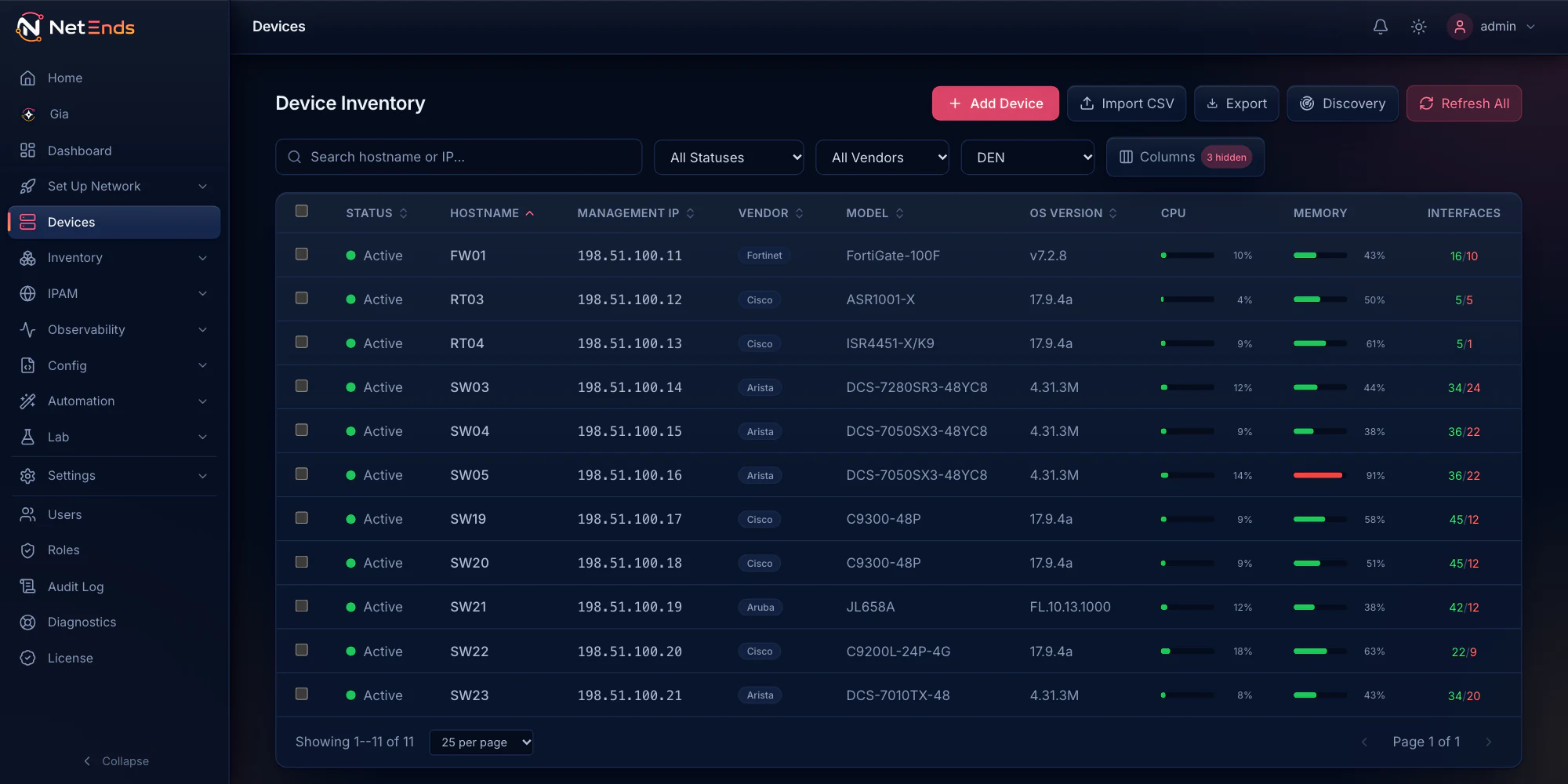
Every node, found and detailed.
Point discovery at a subnet. It sweeps with ping and SNMP, follows LLDP and CDP neighbors, and reads what each node holds over SNMP, SSH and the vendor’s own API.
- Vendor, model and OS identified
- Interfaces, VLANs, routes, ARP and MAC tables
- Hardware down to optics, power supplies and fans
- Sites and racks alongside the nodes in them
Access points come in through the controller you already run, a UniFi controller or a FortiGate managing FortiAPs, with their radios, clients and SSIDs.
IPAM
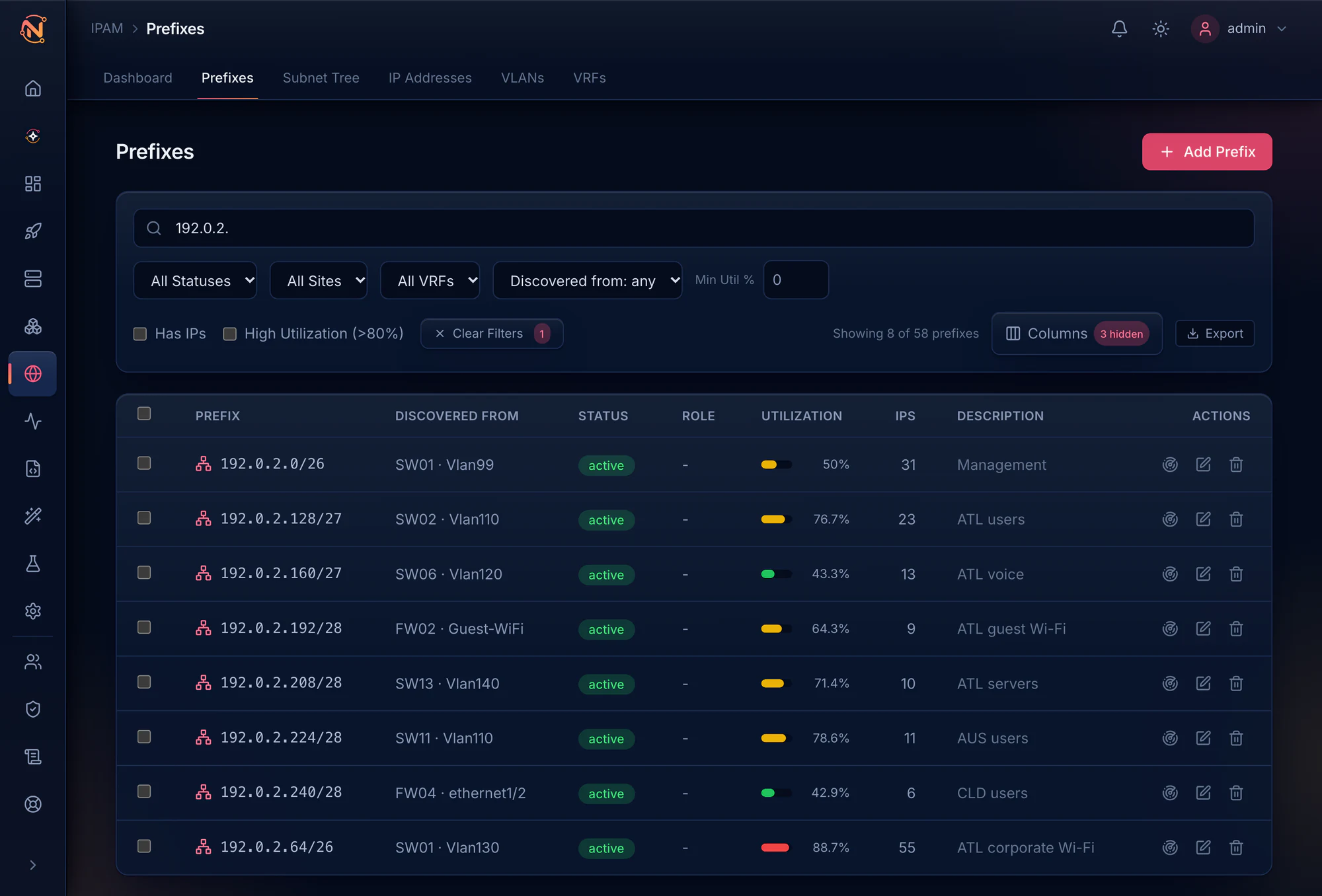
IPAM that fills itself in.
Prefixes, addresses and VLANs are built from the interfaces, ARP tables and routes your nodes report, and arranged into a subnet tree. IPAM stops being a spreadsheet.
When a config you generate needs a new subnet or address, reserve the next free one from a pool. Every allocation is logged.
Monitoring & alerts
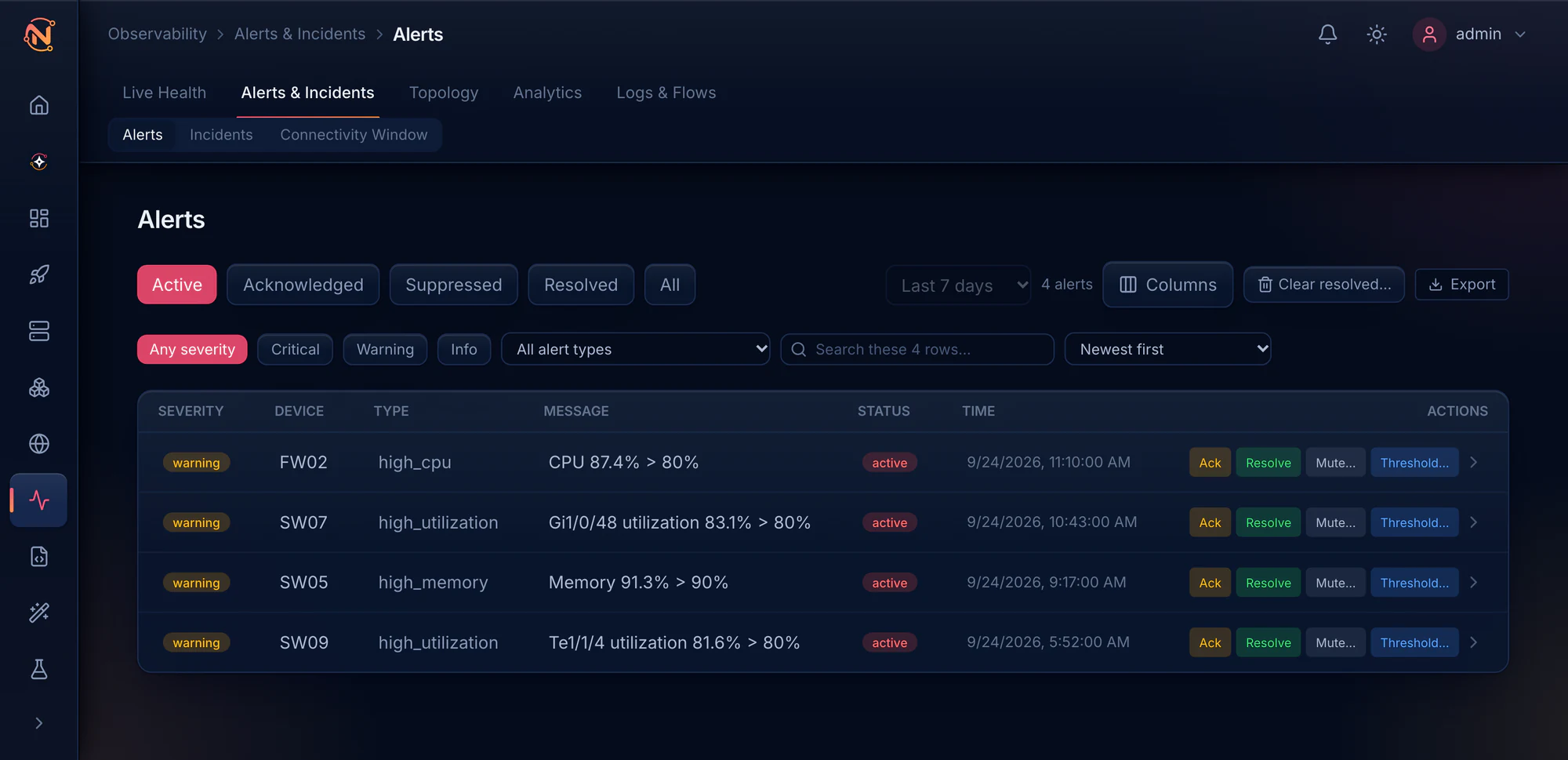
Hear about it before your users do.
Health, capacity and routing state across every vendor, with baselines learned from your own data, so “abnormal” has a number behind it.
When a link fails, the alerts from both ends land in one incident. It names the cause when the evidence supports one, and says how sure it is.
- CPU, memory, interfaces, power, fans, temperature and optics
- BGP and OSPF neighbors, and BGP prefix changes
- Hour-of-week baselines and capacity forecasts
- Streaming telemetry on supported Arista, Cisco and Aruba switches
- Alerts to Slack, Microsoft Teams, email, SMS, WhatsApp or a webhook
Topology
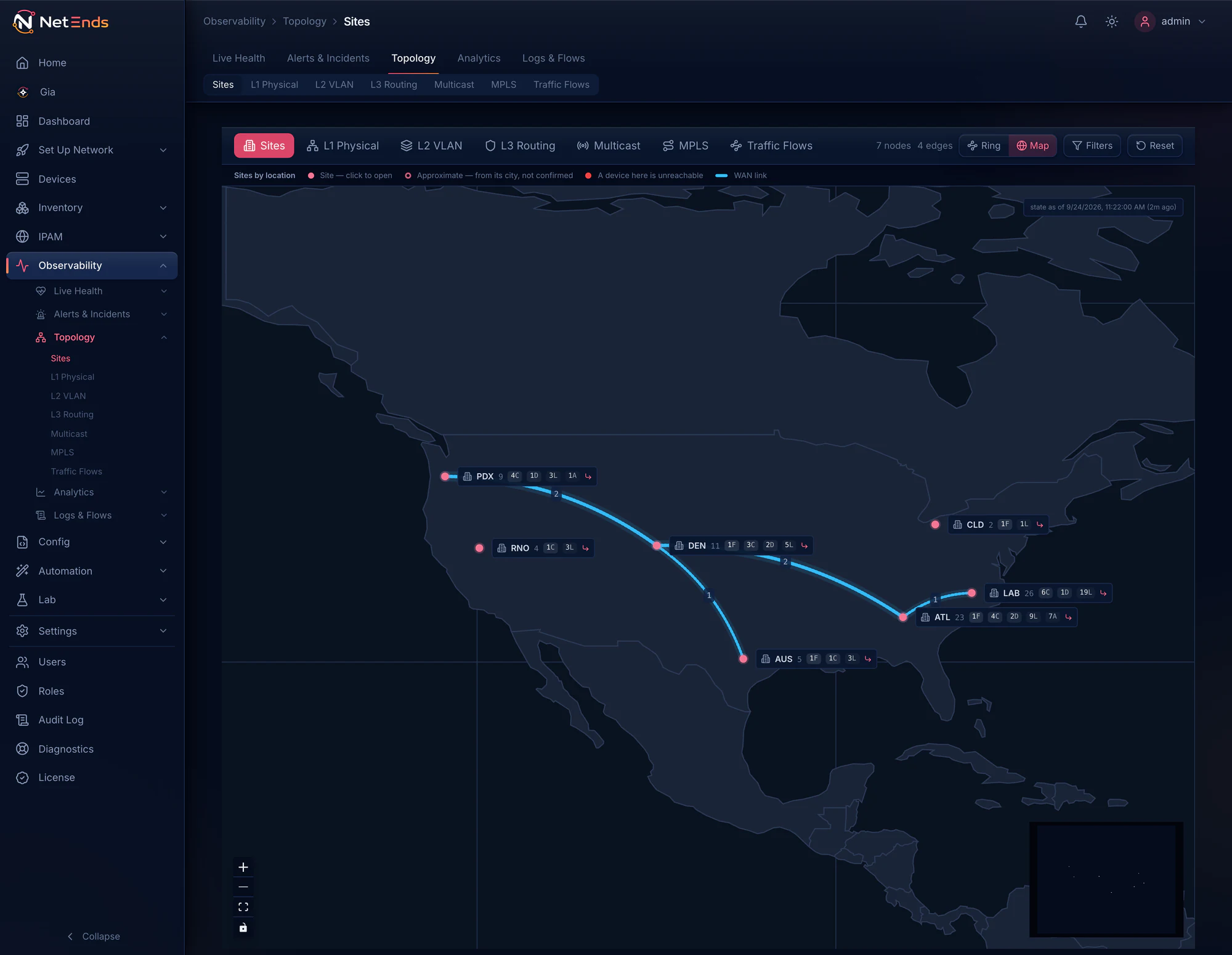
Maps built from what your nodes report.
Physical, VLAN and routed maps are drawn from LLDP and CDP neighbors, VLAN membership and routing adjacencies, not from a diagram someone forgot to update.
The Sites view shows how your sites hang together, from the routing adjacencies that cross between them.
- Sites, physical, VLAN and routed views
- Multicast and MPLS included
- The computed spanning tree for any VLAN
- The routed path between two nodes
- Traffic flows on the map, with Events & flows
Configuration
Changes you can prove.
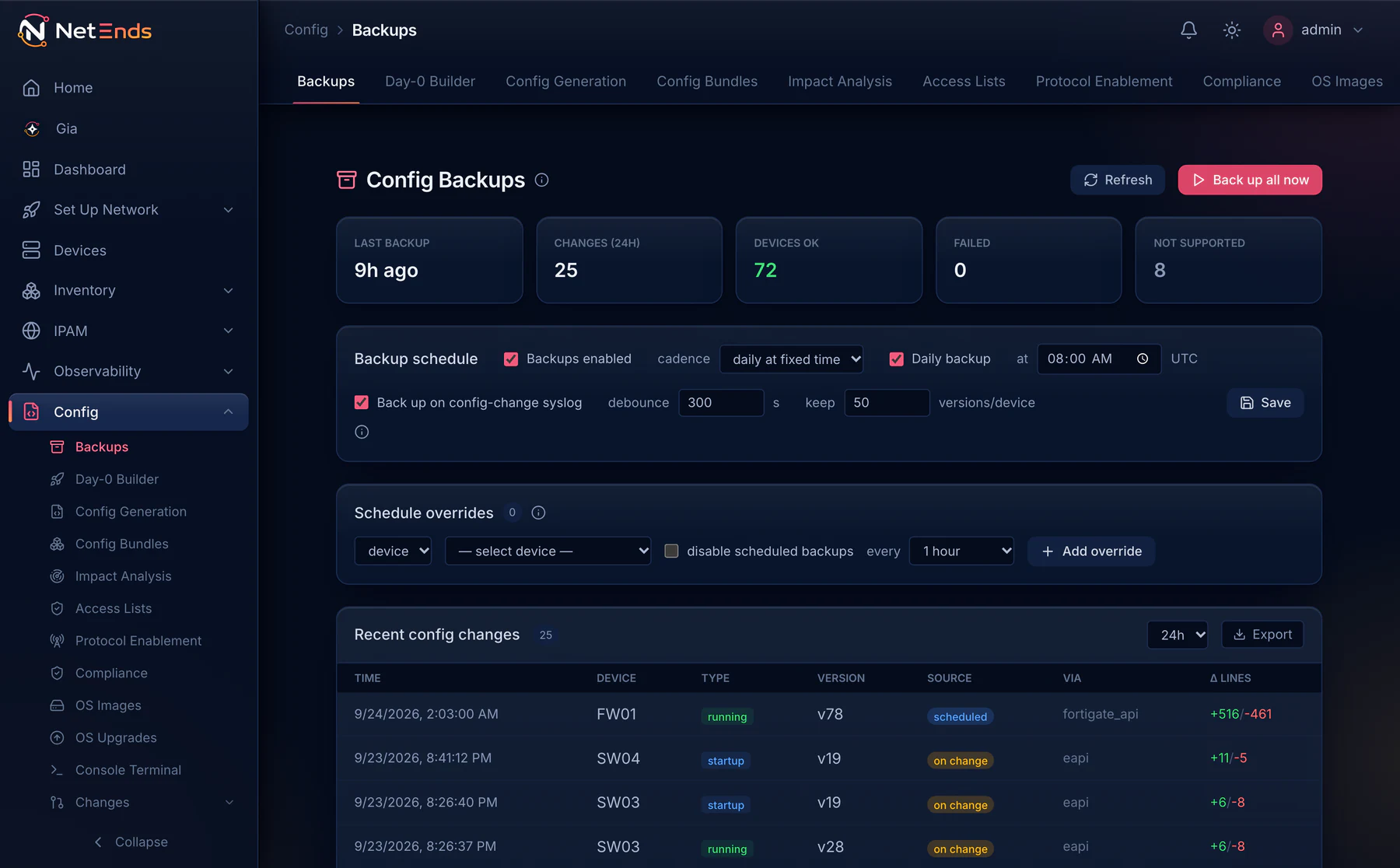
Configs are captured on a schedule, and again when a node logs a config change. Each one is versioned and diffable line by line, and secrets are masked when you read it.
- A new version only when the config changed, 50 kept by default and up to 500
- Any two versions compared
- Who changed it, read from the node’s own log
- Compliance checks against stored configs, without touching the node
- OS upgrades proposed, and a person applies them
A push you prepare starts as a preview and waits for an approver before it runs. By default it is backed up before and after, so the diff is the change record.
Protected devices are refused. Put a node, a site, a group or a whole environment on the Protection list, and config pushes, Autopilot, rollbacks, restores, console sessions and OS upgrades all refuse it. Monitoring carries on as before.
Logs & flows
Every vendor’s logs and flows, in one place.
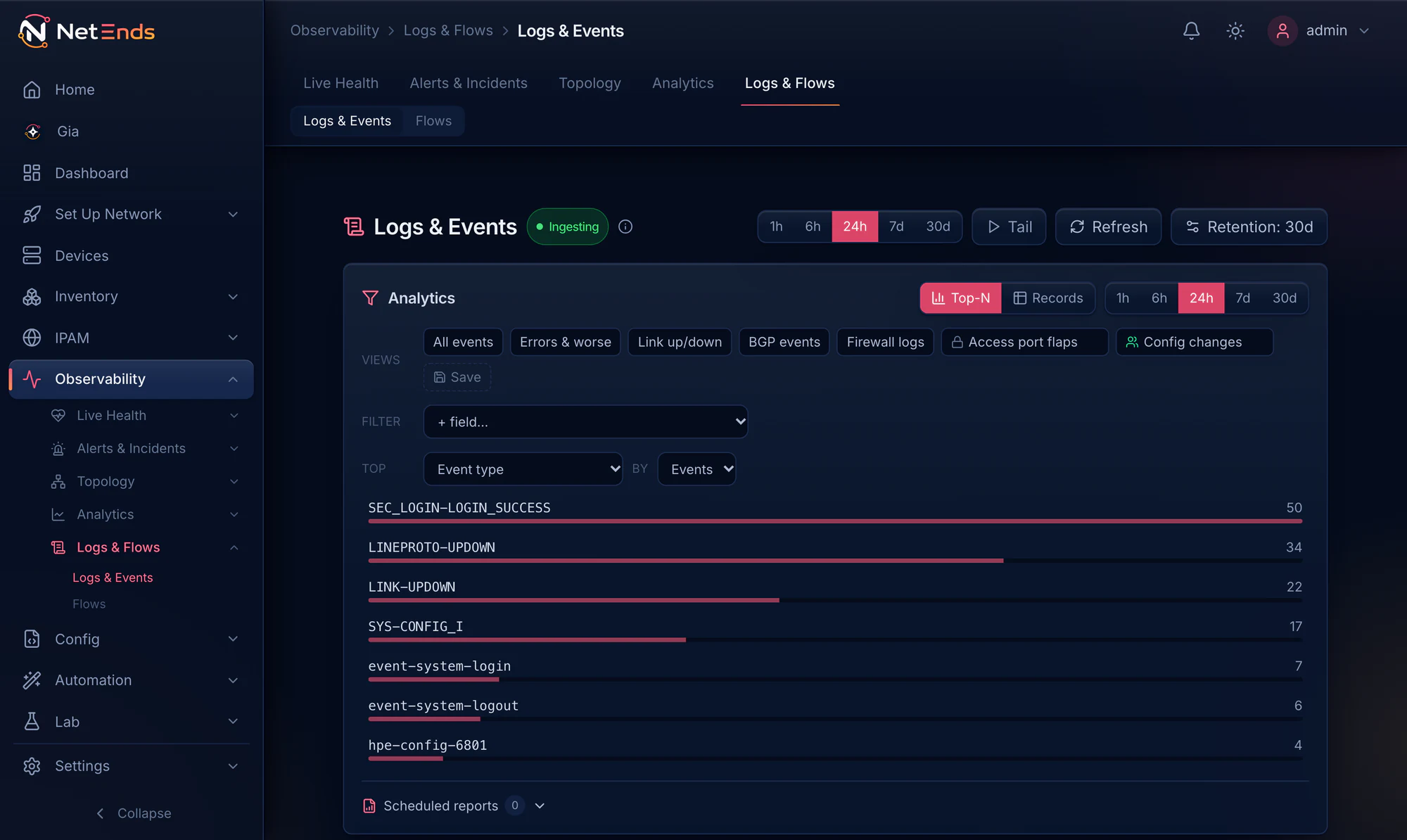
Syslog, NetFlow, IPFIX, sFlow and SNMP traps land in NetEnds. Logs and flows become searchable across every vendor at once.
- Search every vendor’s logs together, by node, severity, vendor or text
- One alert rule for a log pattern, whatever the vendor
- SNMP traps received and stored from day one
Flows
Who is talking to whom.
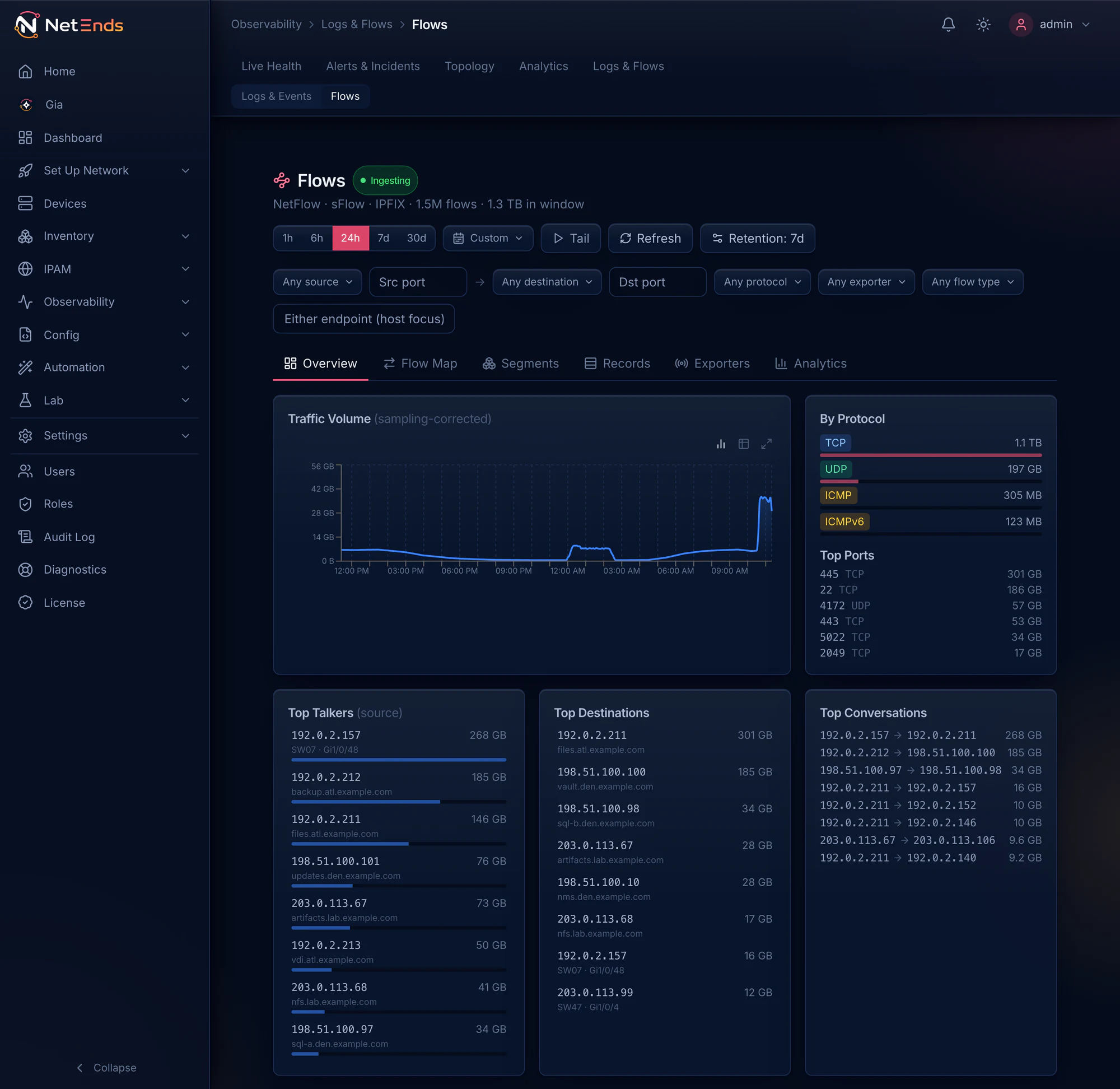
Point NetFlow v5 or v9, IPFIX or sFlow at NetEnds and see the top talkers, destinations, ports and conversations, for one node or the whole network.
Syslog arrives on port 514, traps on 162, and flows on 2055 (NetFlow), 4739 (IPFIX) and 6343 (sFlow). Log search, log-pattern alert rules and flow analysis come with the Events & flows tier.
Autopilot
Turn on what your nodes can send.
Add credentials and a subnet in Set Up Network → Guided Setup, and NetEnds discovers the nodes and lists them for you to confirm.
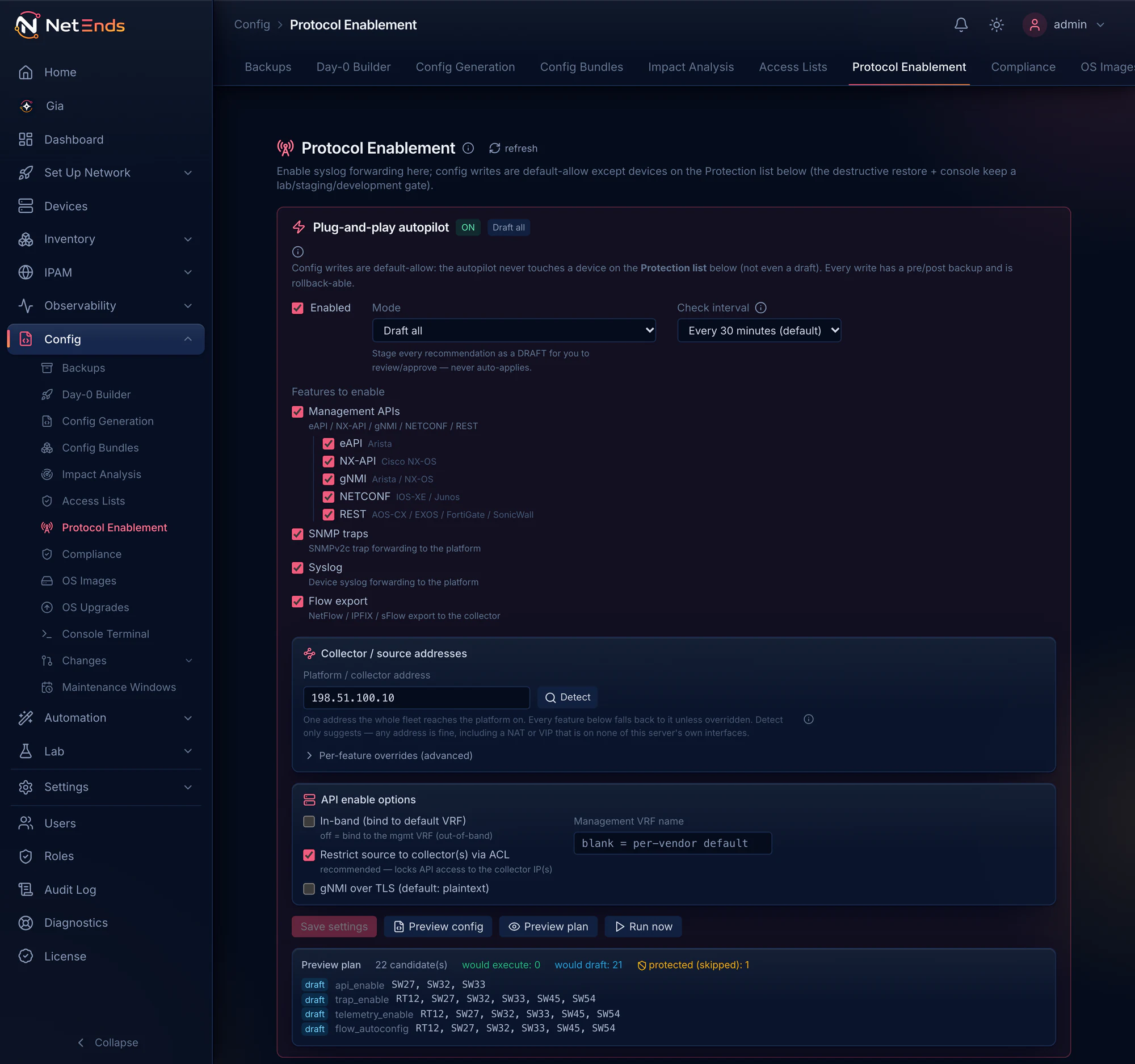
On each confirmed node, autopilot finds the telemetry it supports that isn’t reaching NetEnds yet — SNMP traps, syslog, flow export and management APIs — and prepares the config to switch it on. It stays off until you turn it on, and one setting decides what it does with the changes it prepares.
- Draft all
- The default. Every change is staged for your review.
- Auto lab · draft prod
- Applies changes itself on nodes whose environment is lab, staging or development, and drafts the rest.
- Auto everywhere
- Applies changes itself on every node that is not on the Protection list.
By default each write is backed up before and after, and each carries its own rollback. A node on the Protection list is never touched, not even drafted.
Ask your network. Check your gear.
Gia, your network assistant
Ask in plain language, in the UI or by Slack DM when your host can reach Slack. Gia answers from live data, shows each lookup it made, and its model runs on your own hardware.
Meet Gia ›Supported devices
18 platforms with dedicated collectors, access points through their controllers, and anything else that answers SNMP. Every platform gets a straight answer.
See supported devices ›See it on your own network.
Fourteen days and five devices, every tier switched on, on a host you own. Need a bigger pilot? We’ll size a trial license to it.